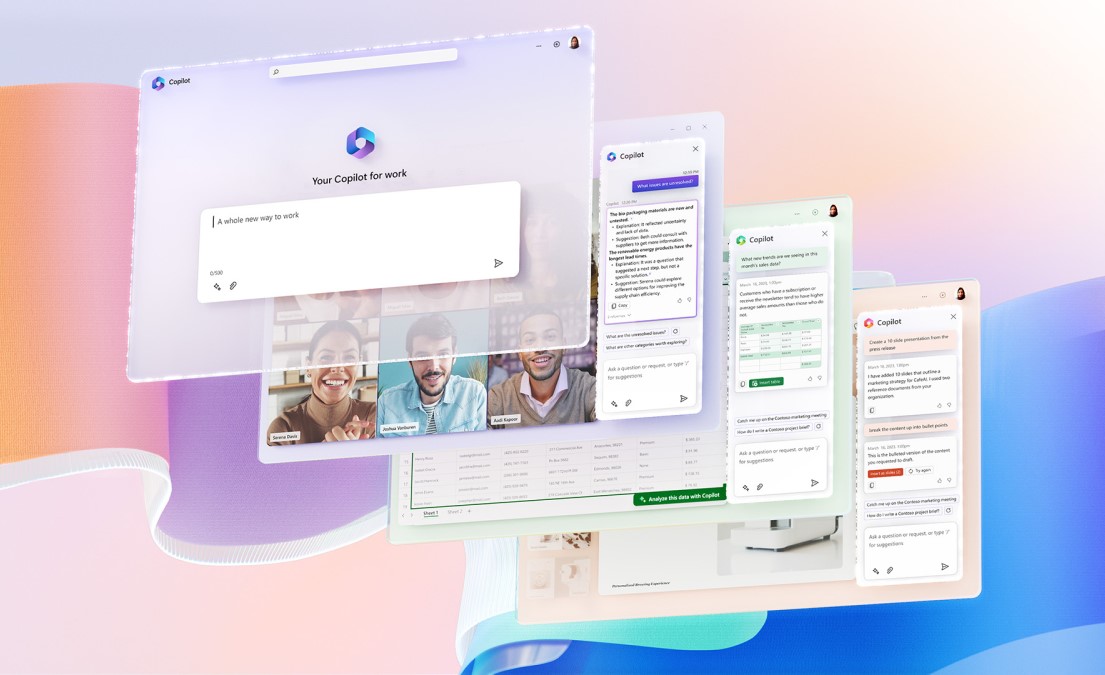

Microsoft 365 Copilot

Microsoft 365 Copilot

Your AI assistant that works alongside you to simplify everyday tasks through intelligent automation and seamless productivity.

Smarter work starts here

Unlock the full value of Microsoft 365 Copilot to enhance productivity with intelligent AI assistants and agents that integrate seamlessly across your Microsoft ecosystem.

Consulting & AI enablement workshops

Turn Microsoft 365 Copilot into a true productivity advantage for your teams. Join our workshops and start using AI with confidence.

AI Built for Work

In a Microsoft Work Trend Index survey of early adopters, 70% of users reported increased productivity, while 68% said it improved the quality of their work. Discover how Microsoft 365 Copilot can help you achieve the same.

Work Smarter, Not Harder with Your AI Teammate

Work Smarter, Not Harder with Your AI Teammate

Copilot integrates seamlessly into your daily workflow across Word, Excel, PowerPoint, Outlook, and Teams. It is like having a skilled colleague who helps draft documents, analyse data, create presentations, and manage your calendar, all while you focus on what truly matters.

Boost Team Productivity

Boost Team Productivity

From executives making strategic decisions to sales teams closing deals, Copilot adapts to every role. It automates routine tasks, provides intelligent insights, and enables your workforce to achieve more in less time. Studies show teams using Copilot are 29% faster at searching, writing, and summarizing tasks.

Unleash Creativity and Innovation

Unleash Creativity and Innovation

Copilot acts like your creative partner. It helps you whether you are brainstorming campaign ideas, drafting proposals, or designing presentations, it provides fresh perspectives and suggestions that spark innovative ideas.

Data-Driven Insights

Data-Driven Insights

Copilot draws information from complex data and processes them into clear, actionable insights. It analyses trends, generates forecasts, and discloses patterns that might otherwise go unnoticed, helping you to make informed decisions that drive business growth.

Boost Collaboration

Boost Collaboration

Copilot facilitates collaboration among team members, whether you are working individually or as part of a team. Teams that use Copilot for collaborative tasks report a 50% improvement in their collaboration and teamwork, making it easier to stay connected and aligned on shared goals.

Personalized and Ever-Learning

Personalized and Ever-Learning

Copilot learns from your interactions and adapts to your preferences. Think of it as more than just a tool; it is an AI apprentice that continuously improves, understanding your work style and delivering increasingly relevant assistance over time.

Your Everyday Work, Made Easier with Copilot

Get help where you already work, Excel, Word, Outlook, Teams, and more. Copilot saves time, reduces effort, and helps you get more done every day.
Copilot in Word

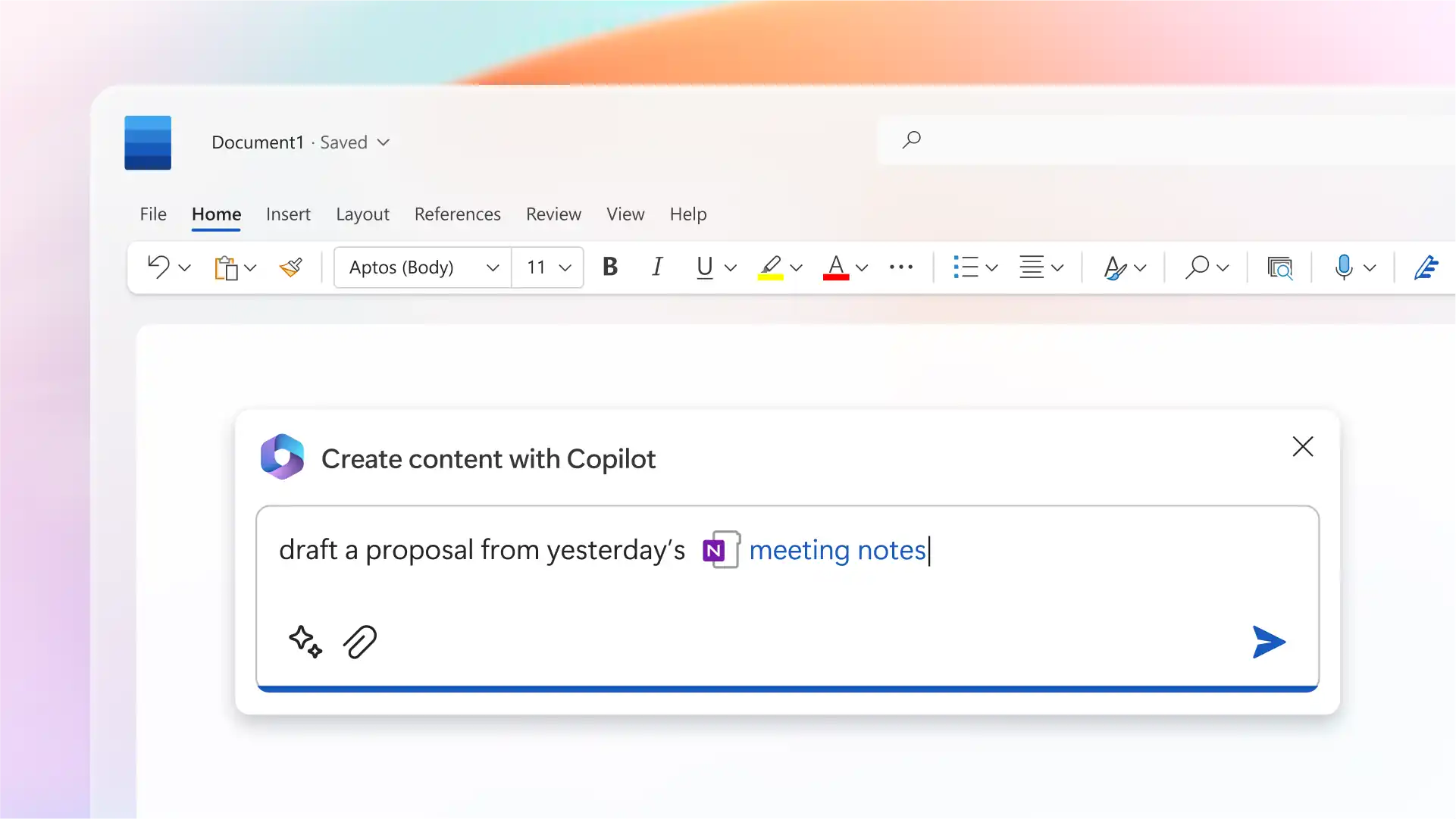
Copilot in Word

Start drafts, rewrite content, or summarize long documents in seconds. Great for reports, proposals, and everyday writing.

Copilot in Excel

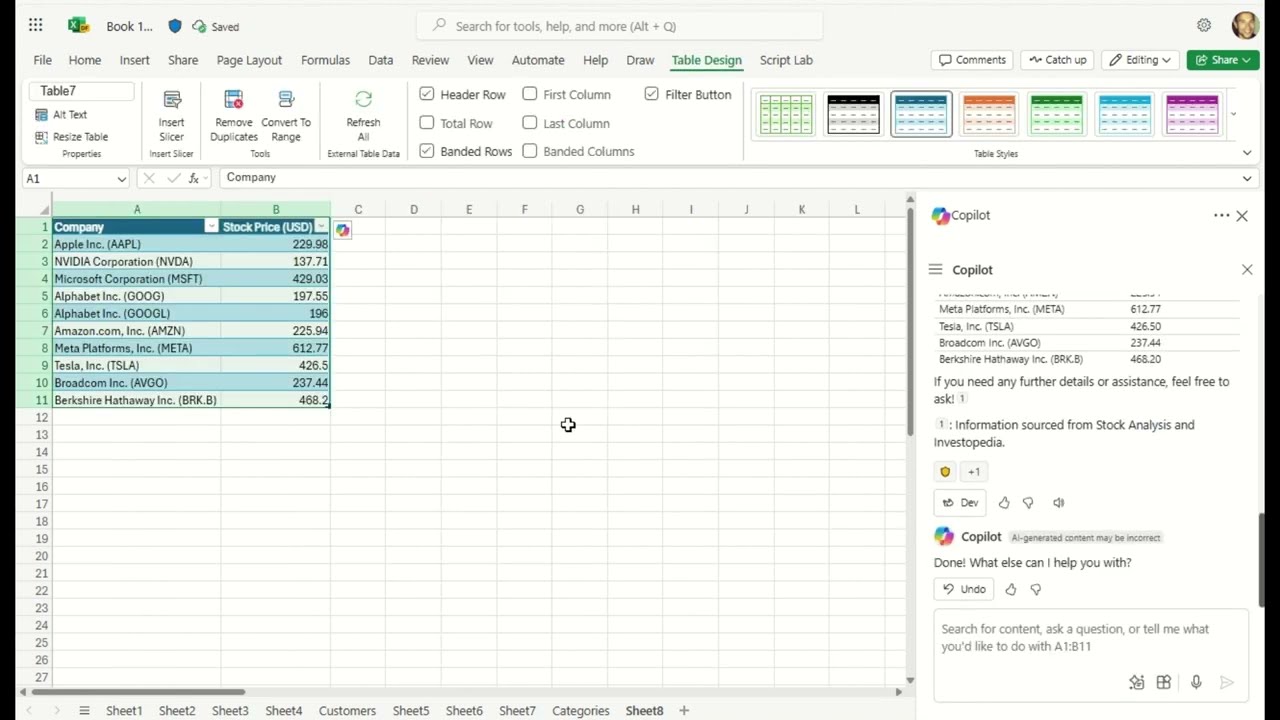
Copilot in Excel

Ask questions in plain language and let Copilot analyze your data. It helps you find trends, build formulas, and understand numbers faster.

Copilot in PowerPoint

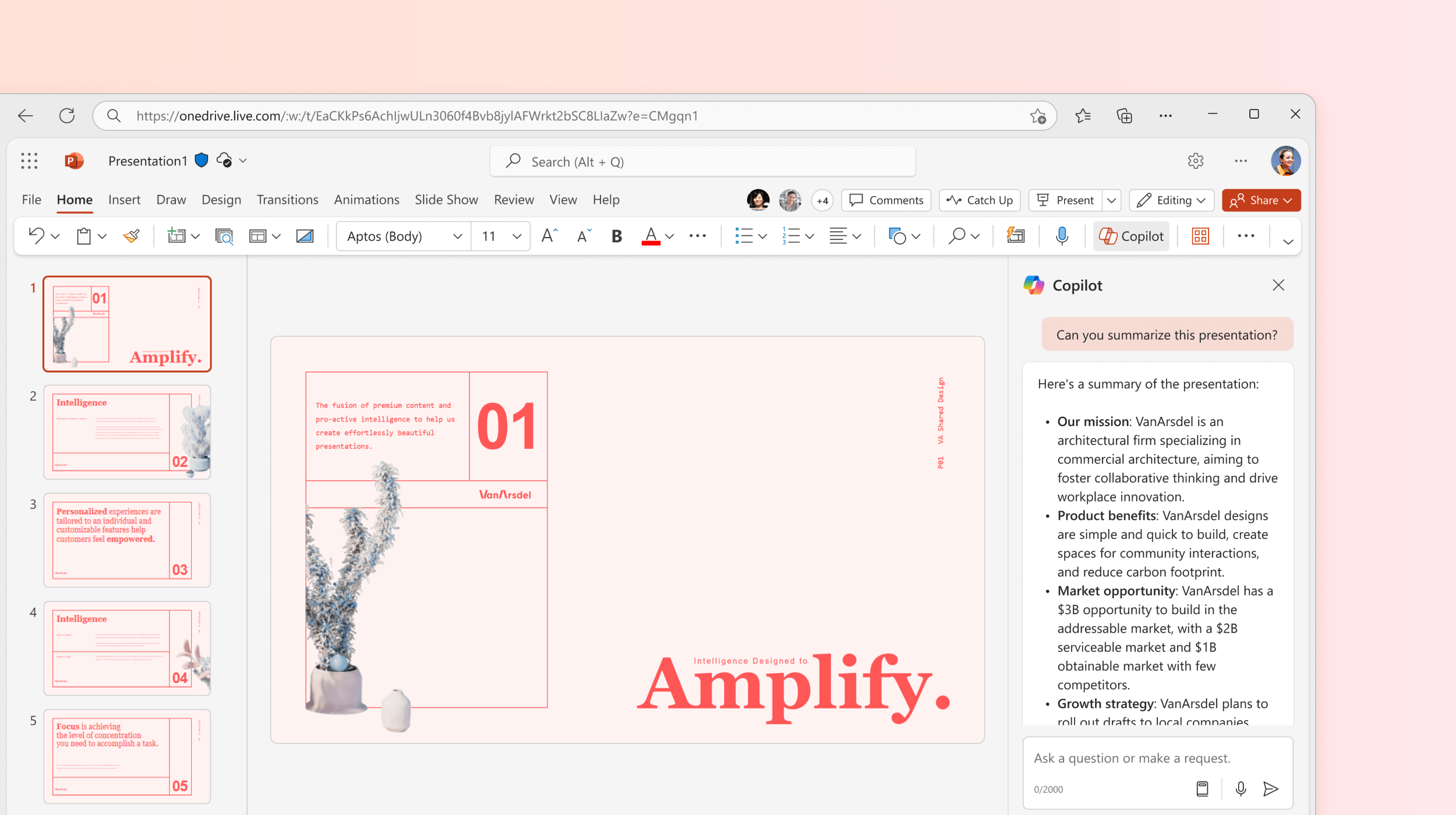
Copilot in PowerPoint

Turn a document or idea into a presentation automatically. Copilot builds slides, adds structure, and even creates speaker notes.

Copilot in Outlook

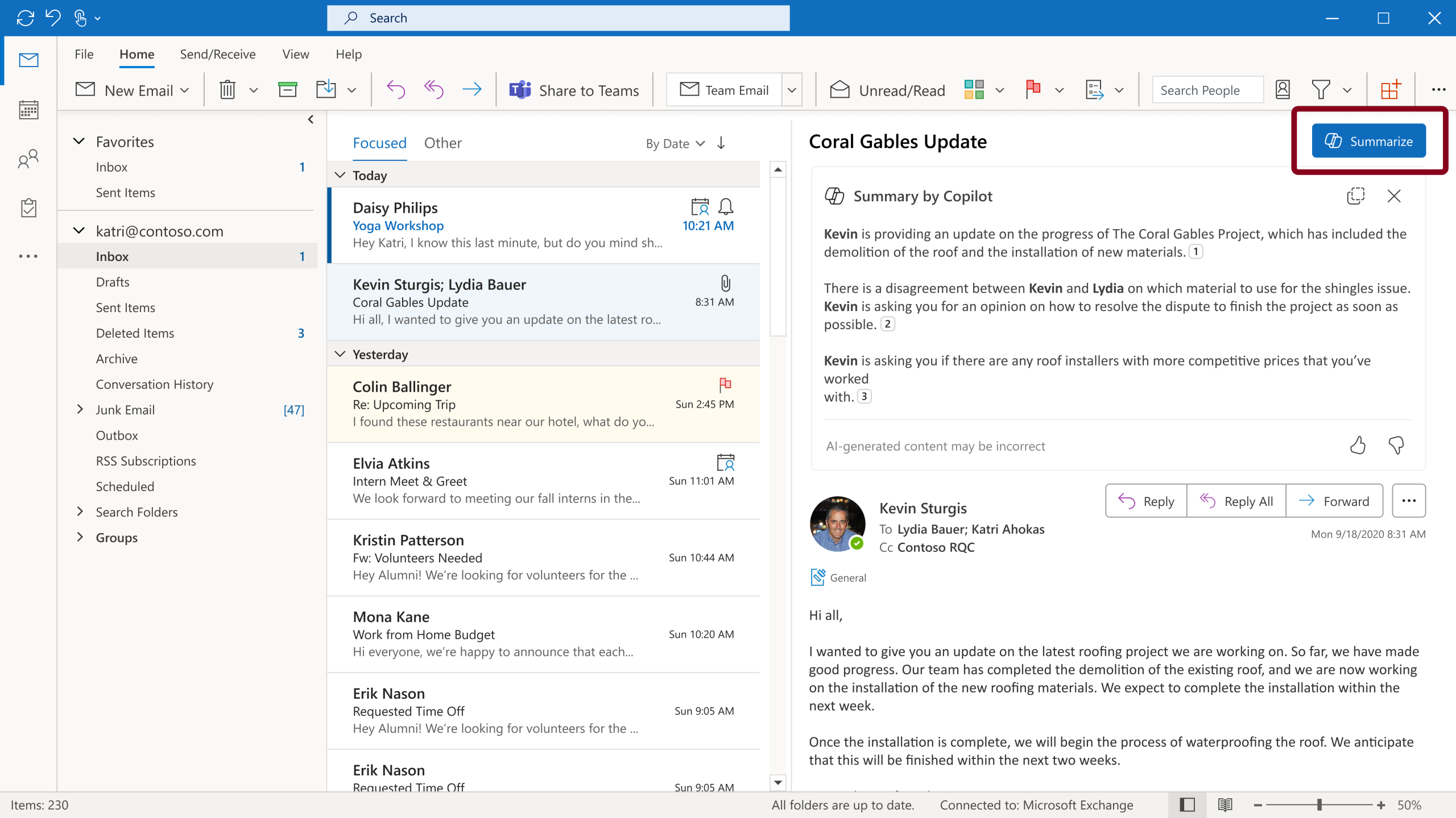
Copilot in Outlook

Summarize long email threads and draft quick replies. Spend less time in your inbox and respond with clarity.

Copilot in Teams

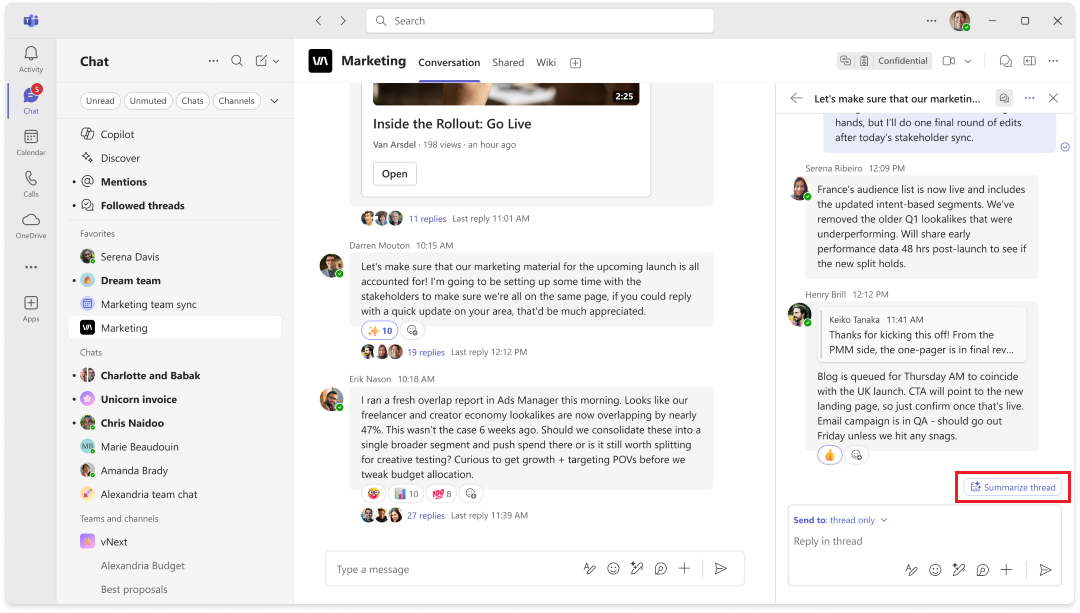
Copilot in Teams

Get meeting summaries, key points, and action items after every call. Stay focused in meetings, Copilot handles the notes.

Copilot in One Note

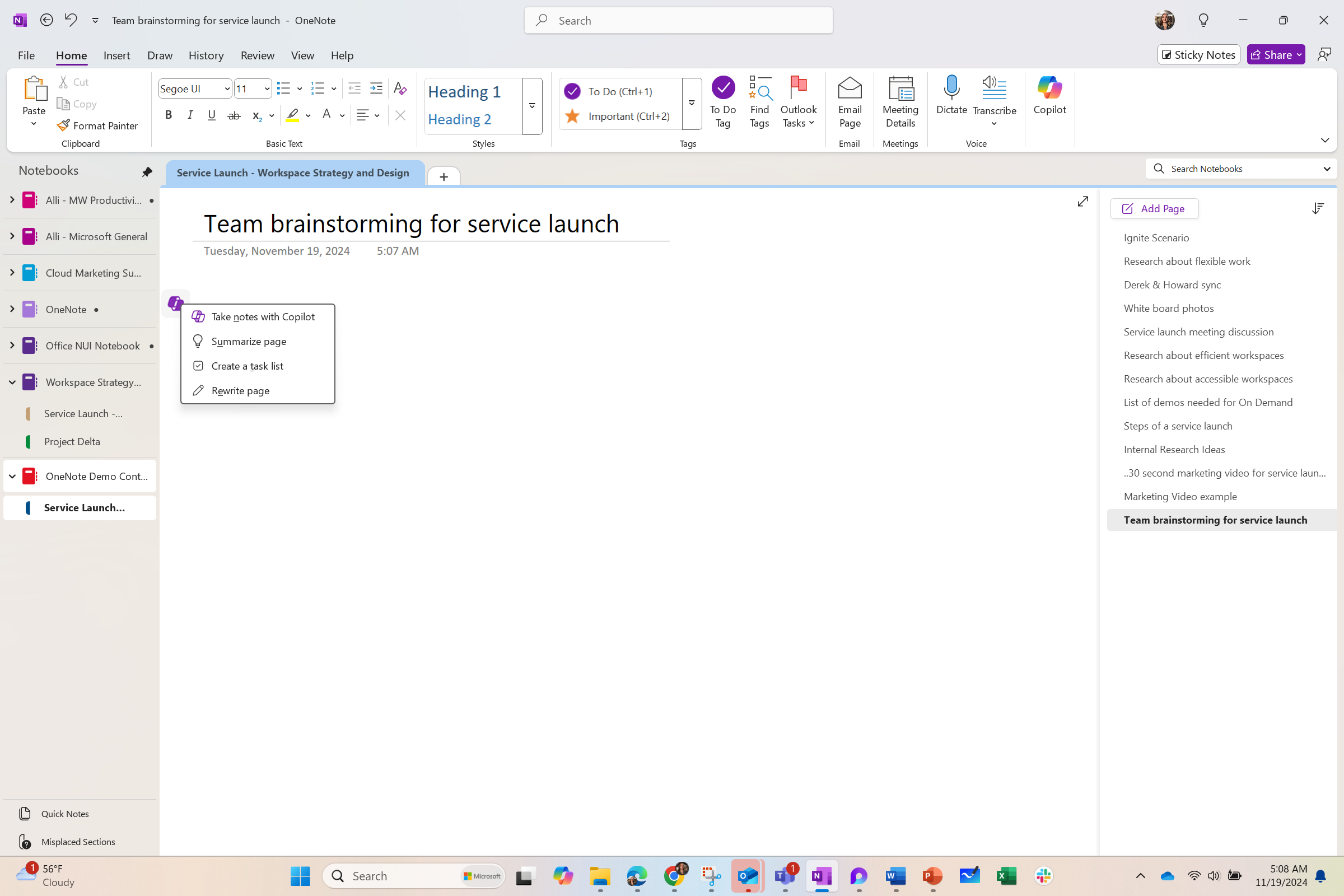
Copilot in OneNote

Summarize notes and highlight key takeaways instantly. Turn scattered thoughts into clear next steps.

Copilot across Microsoft 365

Copilot across Microsoft 365

Find answers and get things done using your emails, files, and chats. One AI assistant working across all your Microsoft 365 apps.

Enterprise Productivity, Reinvented with
Microsoft 365 Copilot

Explore how Copilot enhances productivity across departments, offering tailored assistance to executives, as well as support for Microsoft Copilot in sales, marketing, and HR through seamless integration with AI-powered decision-making tools. This fosters innovation and efficiency across diverse roles.

Finance & Accounting

Copilot improves financial operations through intelligent automation. Copilot helps analyse complex financial data, generate reports, create forecasts, and identify cost-saving opportunities.

Sales & Marketing

Copilot helps speed up deal closures and track campaign performance. Copilot for Sales assists with customer insights, email drafting, meeting summaries, and CRM updates. Marketing teams can generate content ideas, analyse campaign data, and build presentations faster than ever.

Human Resources

Your Human Resource Teams can benefit from automating routine inquiries, facilitating smoother onboarding processes, analysing employee sentiment, and providing personalized support, freeing HR professionals to focus on strategic talent endeavors.

Customer Service

Microsoft 365 Copilot integrates with your CRM tools, helping you improve customer service. Copilot helps manage cases, automate responses to common queries, recommend solutions, and provide sentiment analysis to measure customer satisfaction.

Operations & Supply Chain

From inventory management to process automation, Copilot helps identify bottlenecks, predict demand patterns, and simplify workflows to ensure better resource utilization.

Executive Leadership

Copilot produces strategic insights that help stakeholders and business leaders gain end-to-end visibility into your day-to-day business operations. It assists with decision-making by amalgamating information from multiple sources, preparing executive summaries, analysing business performance, and identifying new opportunities.

Microsoft 365 Copilot
Consulting & AI Enablement
Workshops

Empower your organization to confidently adopt AI with Intech’s comprehensive Copilot training and immersion experiences. Whether you are exploring AI for the first time or looking to scale Copilot usage across teams, our workshops offer guided learning, hands‑on practice, and tailored business scenarios to help you unlock productivity with Microsoft Copilot.

Project Elevate

Project Elevate

Project Elevate is Intech’s ADKAR‑driven enablement program that focuses on Awareness, Desire, Knowledge, Ability, and Reinforcement, ensuring new technologies like Copilot are not only introduced, but truly adopted and used effectively. It helps users understand the value, build confidence through practical learning, and sustain long‑term usage to deliver real business impact.

Microsoft Copilot Adoption Training: Post‑Purchase Utilization

Microsoft Copilot Adoption Training: Post‑Purchase Utilization

A tailored training program designed to help organizations maximize usage and ROI from newly purchased Microsoft Copilot licenses. It familiarizes teams and leadership with Copilot features across Microsoft 365 apps through demos, use cases, and customizable sessions.

 Microsoft 365 Copilot: 1‑Day Immersion Workshop (Center of Excellence)

Microsoft 365 Copilot: 1‑Day Immersion Workshop (Center of Excellence)

An intensive hands‑on workshop that lets business teams experience real Copilot scenarios using the Learn‑Act‑Feel‑Discover framework. Participants explore productivity gains with live demos, persona‑based exercises, and a guided roadmap to adopt Copilot effectively.

Microsoft 365 Copilot & AI: 2‑Hour Introductory Workshop

Microsoft 365 Copilot & AI: 2‑Hour Introductory Workshop

A free overview session introducing the Microsoft Copilot ecosystem, Generative AI basics, and live demonstrations across Microsoft 365 apps. It highlights practical AI use cases and helps organizations identify how Copilot and related AI tools can enhance daily operations.

Flexible Licensing Options for Your Business

Microsoft 365 Business Standard + Copilot Business Bundle

A combined offering that includes Microsoft 365 Business Standard along with Copilot Business features. Designed for organizations that want productivity apps and Copilot capabilities packaged together.

Microsoft 365 Copilot Business (Apps + Copilot)

Includes access to Microsoft 365 apps along with Copilot integrated across Word, Excel, PowerPoint, Outlook, Teams, and more. Ideal for businesses adopting Copilot within core Office applications.

Microsoft 365 Copilot Chat

Available at no additional charge for Microsoft Entra account users with an eligible Microsoft 365 subscription. Provides web‑grounded AI chat powered by large language models.

Microsoft 365 Copilot Business (Convenience SKU)

A bundled SKU that offers Microsoft 365 apps alongside Copilot in a single, simplified package. Designed for ease of purchase and deployment for business customers.

Discover Customer Success Stories

Real‑world success stories showcasing how organizations transformed productivity with Microsoft 365 Copilot.


From Copilot Strategy to Everyday Impact

Intech partners with you to turn Microsoft 365 Copilot into a practical, high-impact AI assistant, aligned with your data, processes, and business goals.

Frequently Asked Questions

Copilot for Microsoft 365 is an AI-powered assistant, designed to be your smart helper. It’s built into your everyday Microsoft 365 applications such as Word, Excel, PowerPoint, Outlook, and Teams. It can draft, summarize, analyze data, create presentations, or even schedule meetings.

While both Copilot and AI assistants leverage AI, Copilots are designed for deeper collaboration and task-specific support. Unlike general-purpose assistants, Copilots excel in specialized domains like coding, writing, or design, with contextual understanding and real-time suggestions.

Yes, Copilot can analyze large data sets, identify trends, generate forecasts, and provide actionable insights to support better business decisions.

Yes, Copilot can help design and optimize workflows in Power Automate. It suggests templates, guides you through triggers and actions, and recommends enhancements for better automation.

Getting started is simple. Sign up on the Copilot Studio website, download the app or extension, and follow the onboarding tutorial to set up your first project.